
Apple Calendar
Your calendar. Your plans. One picture of your day.
You already have a calendar. You shouldn't have to maintain a second copy of it just to organise the rest of your life.
Touchin Grass works with the calendars available on your iPhone, bringing existing commitments into the same visual planner as your own activities.
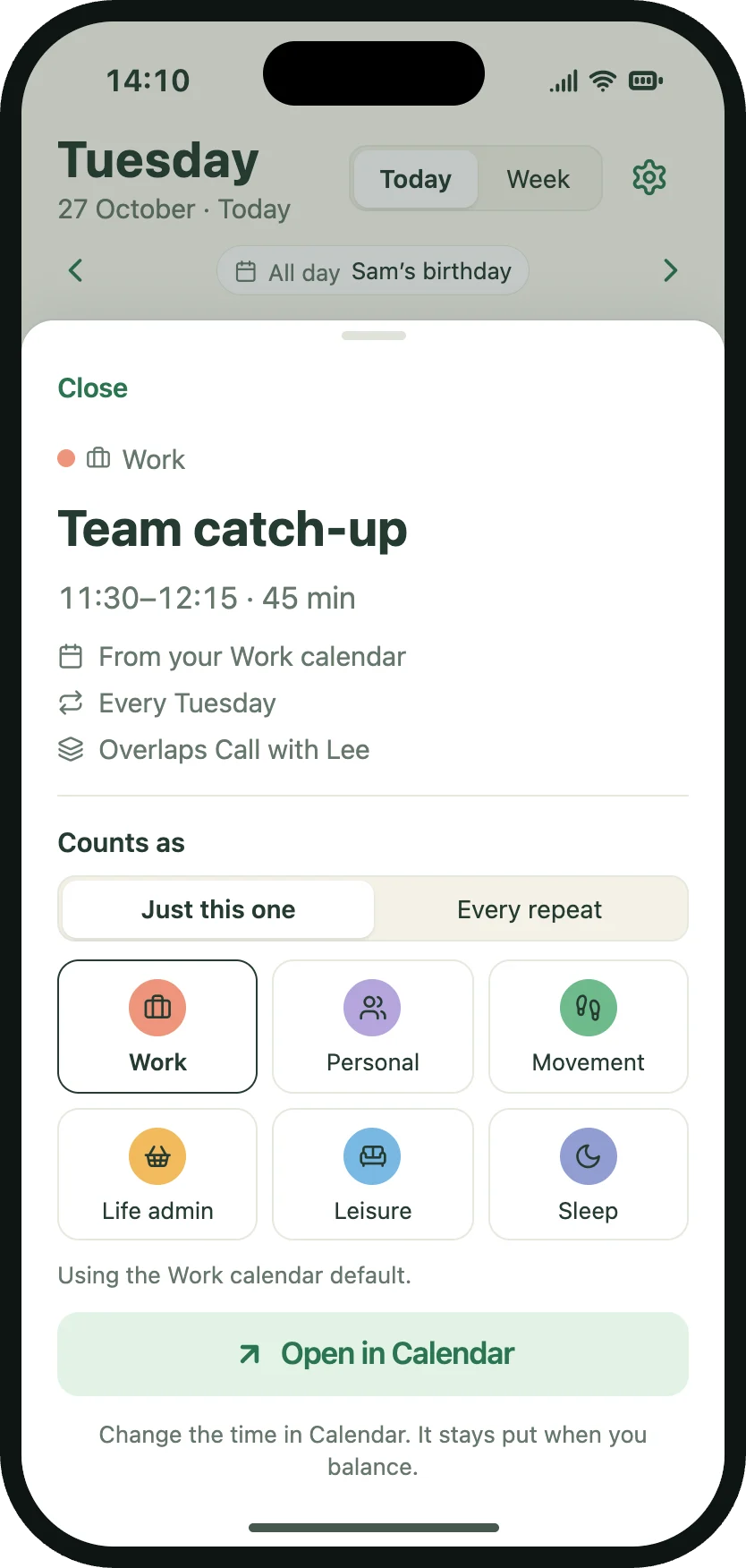
No more entering everything twice.
Meetings, appointments and existing events can appear in your daily wheel and weekly view. Instead of starting with a completely empty schedule, you can see what's already committed and plan around it.
Only the calendars you want.
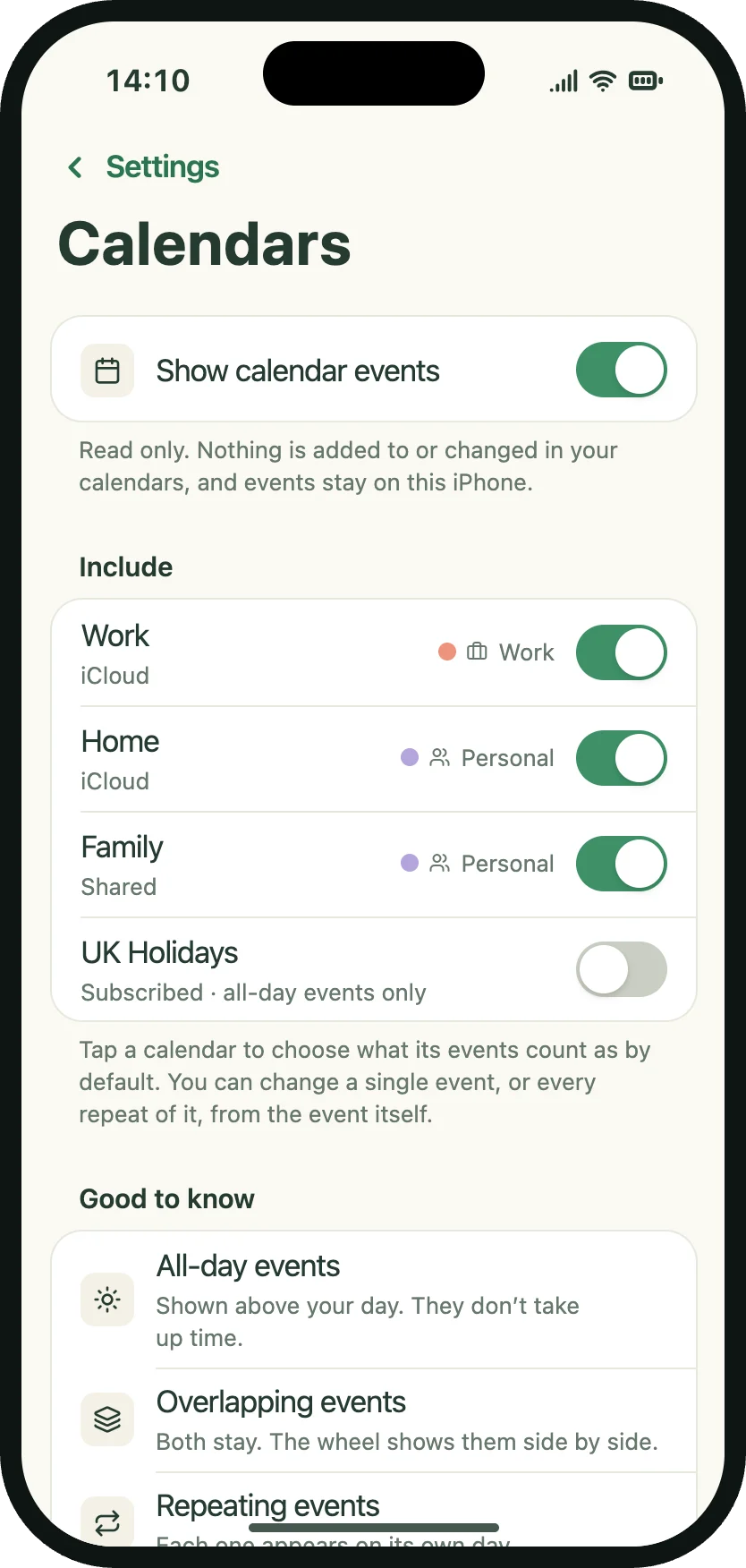
Choose which available calendars Touchin Grass includes in your planning view. You remain in control of which calendars contribute events to the app.
Your original calendar stays untouched.
Touchin Grass uses read-only access to calendar events. You can see existing commitments alongside your plans without worrying about accidentally editing or deleting the original calendar entries through Touchin Grass.
Works with your iPhone's calendars.
You don't need to sign in separately to Google Calendar or Outlook through Touchin Grass. Where those calendars are already configured and available through Apple Calendar on your iPhone, Touchin Grass can access their events with your permission.
Calendar questions
Does Touchin Grass change my calendar events?
No. Calendar integration is read-only.
Do I have to connect my calendar?
No. Calendar integration is optional.
Can I choose which calendars appear?
Yes. You can select the calendars included in Touchin Grass.
Will my Google or Outlook calendar appear?
If the calendar is configured on your iPhone and accessible through Apple's calendar system, it can be included.
Do I need another account?
No. Touchin Grass doesn't require a separate account.
Plan around your life, not the other way around.
Coming to iPhoneOne-time purchase. No subscription.